
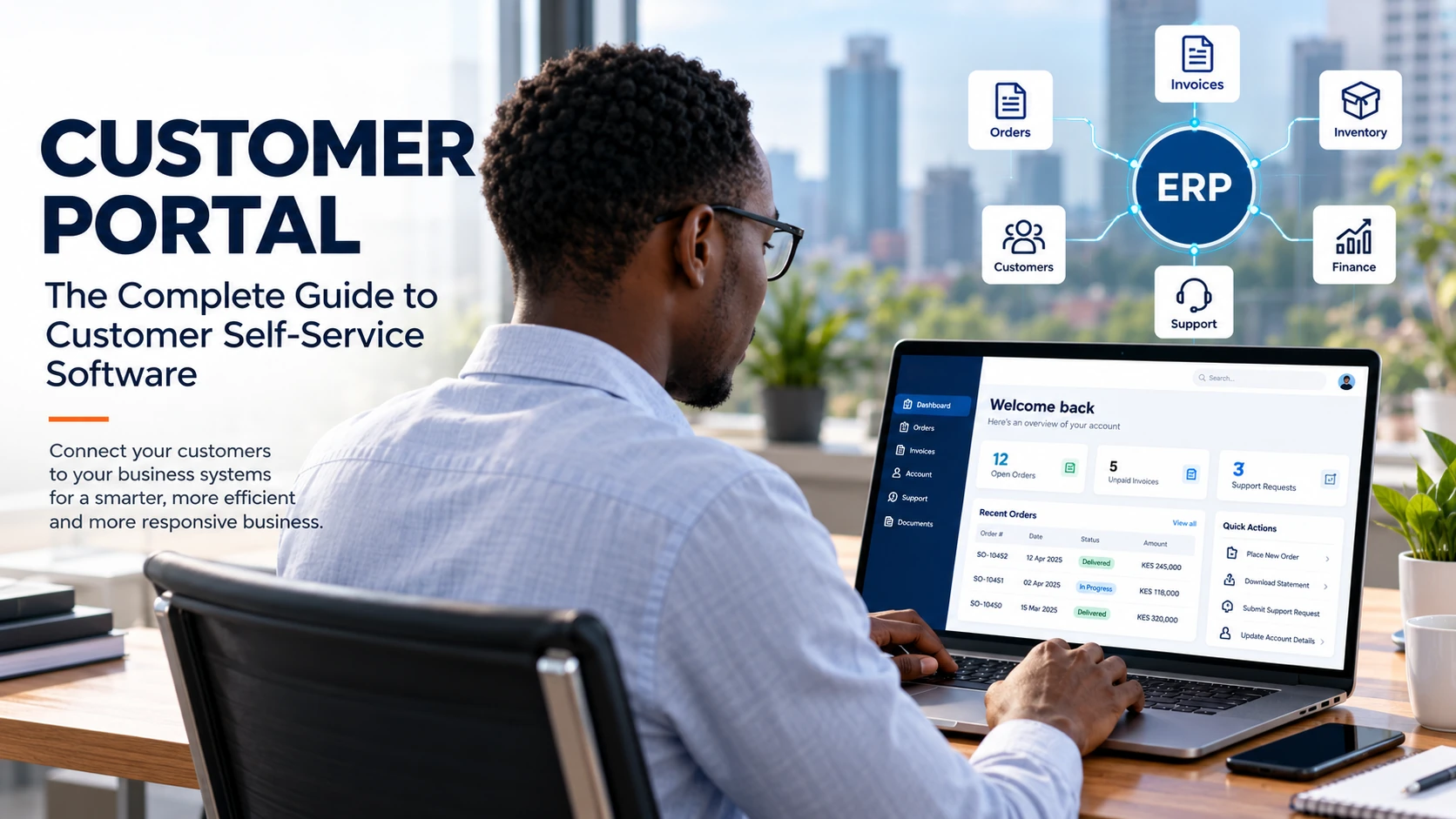
Customers increasingly expect businesses to make information and services available online without requiring a phone call, email or visit to an office.
They want to check an order, download an invoice, review account information, submit a support request, track a service issue or find an answer without waiting for someone inside the business to respond.
This is where a customer portal becomes valuable.
A customer portal is a secure online environment where customers can access information, manage aspects of their relationship with a business and obtain support through self-service. Modern customer portals can connect with CRM, ERP, billing, inventory, service-management and knowledge-base systems, allowing customers to interact with information and processes that were traditionally handled manually by employees.
The concept is becoming increasingly important as businesses move toward digital-first customer service. Gartner reported in 2025 that self-service portals and knowledge-management systems were becoming essential technologies for customer service leaders, while Salesforce reported that 72% of top-performing service organizations in its research said customers resolve most simple, routine issues through self-service.
For businesses operating in Kenya, the opportunity is particularly relevant as digital connectivity continues to expand. Kenya’s Communications Authority reported 58.5 million data subscriptions by June 2025, while smartphone penetration reached 83.5%.
This guide explains what customer portal software is, how it works, what customers can do through a portal, how it differs from CRM and ERP systems, what features businesses should consider and why integrating a customer portal with an ERP can create a more connected customer experience.
What Is a Customer Portal?
A customer portal is a secure online platform that gives customers controlled access to information, services and interactions related to their relationship with a business.
Instead of relying entirely on employees to provide information, customers can log into a portal and perform certain tasks themselves.
Depending on the business and the software involved, a customer portal may allow customers to:
- View orders
- Track orders or deliveries
- Access invoices
- Review payment information
- Submit support requests
- Track support tickets
- Access documents
- View account information
- Update selected personal or company details
- Access product or service information
- Search a knowledge base
- Communicate with support teams
- View service history
- Request quotations or services
- Receive notifications
Salesforce describes customer portals as secure online platforms that enable customer self-service, account management and interaction with company services and support. Zendesk similarly describes a customer portal as a central place where customers can manage support requests and find information themselves.
The exact functionality depends on the software and how it is integrated with the business’s underlying systems.
A simple way to understand a customer portal
Think of the portal as the customer-facing digital layer of a business.
Your employees may work inside an ERP, CRM, accounting or service-management system.
Your customers do not necessarily need access to those internal systems.
Instead, the customer portal provides a controlled interface through which customers can access only the information and functions relevant to them.
For example:
Business systems → Customer Portal → Customer
The portal acts as the controlled bridge between the customer’s needs and the company’s internal systems.
What Is Customer Portal Software?
Customer portal software is the technology used to create, operate and manage a customer-facing portal.
A basic portal might provide access to documents and information.
A more advanced customer portal can connect to business applications and allow customers to initiate or complete transactions.
For example:
A customer logs in → views an order → checks its status → downloads an invoice → reviews payment information → submits a support request.
The more closely the portal is integrated with the systems that run the business, the less manual intervention may be required for routine customer interactions.
This is one reason customer portal software is increasingly associated with CRM, ERP, customer service, billing and other business applications.
G2 currently maintains separate categories for Client Portal Software and ERP Systems with Customer Portal capabilities. As of September 2026, G2 lists 200 products in its client-portal category and 1,536 ERP products in its customer-portal-capability category. These categories demonstrate that customer portals have become an established software capability rather than simply a website feature.
How Does a Customer Portal Work?
A typical customer portal consists of several interconnected components.
1. Customer authentication
The customer logs in through a secure authentication mechanism.
2. Customer-specific access
The system determines which information and functions that particular customer is permitted to access.
3. Business-system integration
The portal can connect with systems such as:
- ERP
- CRM
- Accounting
- Inventory
- Order management
- Billing
- Help desk
- Service management
- Document management
4. Customer interface
The customer sees a dashboard containing the information and functions relevant to their account.
5. Transactions and requests
Depending on the system, customers can perform tasks such as submitting support requests, reviewing orders or accessing invoices.
A simplified architecture looks like this:
Customer
↓
Secure Customer Portal
↓
ERP / CRM / Billing / Inventory / Service Systems
↓
Business Processes
↓
Updated Information
↓
Customer Portal
This is considerably different from a static website.
A website primarily publishes information.
A customer portal provides authenticated, customer-specific access to information and business processes.
What Can Customers Do Through a Customer Portal?
The functionality depends on the software and the organization’s processes, but a well-designed customer portal can support many routine interactions.
1. View Orders
Customers can see current or previous orders without contacting a sales representative.
For distributors, manufacturers and other businesses handling recurring orders, this can make order information easier to access.
2. Track Orders
Where order and logistics information is available through integrated systems, customers can monitor progress digitally.
3. Access Invoices
Instead of repeatedly requesting copies of invoices from accounts teams, customers can retrieve available documents through the portal.
4. View Payment Information
A portal may provide access to payment history, account balances or other financial information, depending on the organization’s configuration and applicable controls.
5. Submit Support Requests
Customers can create support requests or service tickets through a portal.
6. Track Support Requests
Customers can see the status of an existing request instead of repeatedly contacting support for updates.
7. Access Documents
Businesses can use portals to provide controlled access to relevant documents, contracts, statements, manuals and other resources.
8. Access a Knowledge Base
A knowledge base can help customers find answers to frequently asked questions without contacting an employee.
9. Manage Account Information
Some portals allow customers to update selected information associated with their accounts.
10. Receive Notifications
Portals can be combined with email, SMS or other notification mechanisms to keep customers informed about relevant events.
The important principle is that customers should be able to complete useful tasks, not simply log into another website.
Why Are Customer Portals Becoming More Important?
Customer service expectations have changed significantly.
Customers have become accustomed to digital services that are available outside traditional business hours.
At the same time, businesses face increasing pressure to provide faster service without continually increasing support staffing.
Self-service addresses part of this challenge.
Gartner reported in 2025 that digital-first technologies, including self-service portals and knowledge-management systems, were expected to become increasingly important to customer-service leaders.
Salesforce’s 2025 customer-portal research also found that 78% of service professionals surveyed said customers appeared more rushed, while 72% of top-performing service organizations reported that customers solve most simple, routine issues through self-service.
However, businesses should not assume that simply installing a portal automatically creates good self-service.
Gartner has also found that self-service frequently underperforms. Its research found that only 14% of customer-service issues were fully resolved in self-service in a 2023 survey, demonstrating that businesses need to focus on the quality, usability and integration of self-service rather than merely making a portal available.
This distinction is important.
A portal is technology.
Effective self-service is a business process and customer-experience strategy supported by technology.
Customer Portal vs Website: What’s the Difference?
A website and a customer portal serve different purposes.
| Website | Customer Portal |
|---|---|
| Primarily provides public information | Provides authenticated customer access |
| Usually available to everyone | Information can be specific to each customer |
| Marketing-focused | Relationship and service-focused |
| Product/service information | Orders, invoices, tickets and account information |
| Public content | Private information |
| Lead generation | Customer self-service |
| General communication | Customer-specific interactions |
A business may need both.
For example:
Website:
“Here are our products and services.”
Customer portal:
“Here are your orders, invoices, support requests and account information.”
Customer Portal vs Client Portal: What’s the Difference?
In many software discussions, customer portal and client portal describe similar concepts.
The preferred term often depends on the industry and the type of relationship a business has with its users.
For example:
- A manufacturer may use “customer portal.”
- A professional-services firm may use “client portal.”
- A software company may use “customer portal.”
- An accounting or legal practice may prefer “client portal.”
G2 maintains a dedicated category for client portal software, while major customer-service vendors such as Salesforce and Zendesk use the term customer portal.
For SEO purposes, businesses should understand both terms rather than assuming customers use only one.
Customer Portal vs Customer Self-Service Portal
The terms are closely related.
A customer portal describes the platform.
A customer self-service portal emphasizes what the customer can accomplish independently.
Customer self-service can include:
- Finding information
- Checking an order
- Downloading a document
- Checking a ticket
- Updating account information
- Troubleshooting a problem
- Requesting a service
Zendesk defines customer self-service as tools and resources that allow customers to independently find solutions or access information through resources such as knowledge bases, portals and AI agents.
The distinction is useful because a portal that only displays information may provide limited value.
A strong self-service portal helps customers complete meaningful tasks.
Customer Portal vs CRM: What’s the Difference?
A CRM and customer portal can work together, but they are not the same thing.
CRM
A Customer Relationship Management (CRM) system primarily helps the business manage customer relationships, sales activities, interactions and customer information.
Customer Portal
A customer portal provides customers with controlled access to information and services.
A simple way to think about it is:
CRM = what the business uses to manage the customer relationship.
Portal = what the customer uses to interact with the business digitally.
A CRM can therefore power some of the information displayed through a portal.
Customer Portal vs ERP: What’s the Difference?
An ERP, or Enterprise Resource Planning system, manages core business processes and information.
Depending on the ERP, these processes may include:
- Finance
- Accounting
- Sales
- Purchasing
- Inventory
- Manufacturing
- Supply chain
- Service management
- Customer information
- Reporting
A customer portal sits on the customer-facing side.
This produces a useful distinction:
ERP runs the business. The customer portal exposes selected business information and processes to the customer.
When integrated correctly, the two can work together.
For example:
ERP records an order
↓
Customer portal displays the relevant order information
↓
Customer checks status
↓
Customer does not need to call the sales department
That is the real value of an ERP-integrated customer portal.
What Is an ERP Customer Portal?
An ERP customer portal is a customer-facing portal connected to an organization’s ERP system.
The objective is to give customers controlled access to relevant information generated or managed by the ERP.
For example, an ERP customer portal could potentially connect customer-facing experiences to:
- Sales orders
- Invoices
- Account information
- Payments
- Inventory availability
- Service requests
- Delivery information
- Customer records
GTL’s Customer Portal ERP solution is designed around this model, connecting a customer-facing portal with Cloud ERP and Priority aiERP capabilities. GTL describes functionality including access to orders, invoices, support tickets, knowledge bases and real-time information.
The advantage is that the portal does not have to become another isolated database.
Instead, the ERP can remain a core source of business information while the portal becomes a controlled customer-facing layer.
Why Integrate a Customer Portal With Your ERP?
Integration is one of the most important considerations when selecting customer portal software.
Consider a traditional process.
Without integration
Customer:
“Can you tell me the status of my order?”
Employee:
“Let me check.”
Employee opens ERP.
Employee finds order.
Employee copies information into email or WhatsApp.
Customer receives response.
This process consumes employee time.
Now consider an integrated portal.
With ERP integration
Customer logs in.
↓
Customer opens “My Orders.”
↓
Customer sees the available order information.
The difference is not merely convenience.
It changes the operating model.
Instead of employees repeatedly retrieving information for customers, the system can make appropriate information available directly to authenticated customers.
10 Benefits of Customer Portal Software
1. Faster Access to Information
Customers can retrieve relevant information without waiting for an employee.
2. 24/7 Availability
A digital portal can provide access outside normal office hours, although specific services may still depend on the availability of underlying systems and support teams.
3. Reduced Repetitive Enquiries
Routine questions can potentially be handled through self-service.
4. Better Customer Visibility
Customers can have greater visibility into orders, tickets, invoices and other information.
5. Improved Customer Experience
A well-designed portal can reduce unnecessary friction in common interactions.
6. Greater Operational Efficiency
Employees can spend less time responding to repetitive requests and more time handling activities that require human judgment.
7. Better Information Consistency
When a portal retrieves information from authoritative business systems, customers can receive information based on the same underlying records used by employees.
8. Improved Scalability
A portal can allow a business to support more customers without every additional interaction requiring a proportional increase in manual work.
9. Better Customer Communication
Notifications and portal-based interactions can create a more structured communication process.
10. Better Data and Insights
Portal activity can provide useful information about what customers search for, what services they use and where they encounter difficulties, provided the organization collects and analyzes this data appropriately.
Customer Portals and Business Efficiency
It is tempting to describe a customer portal simply as a customer-service tool.
That undersells its potential.
A properly integrated portal can become part of the organization’s operating model.
For example:
Sales
Customers can access order information.
Finance
Customers can access appropriate invoices and account information.
Operations
Customers can see relevant order or service status.
Support
Customers can create and track service requests.
Management
The organization can analyze customer interactions and identify recurring issues.
This creates a connected workflow instead of treating every customer interaction as a separate email or phone call.
Gartner’s research emphasizes that successful self-service should be integrated into the wider customer-engagement strategy rather than treated as an isolated technology project.
What Features Should You Look for in Customer Portal Software?
Not every portal needs every feature.
The right functionality depends on the business model.
However, businesses evaluating customer portal software should consider the following.
Secure Authentication
Customers should have secure mechanisms for accessing their accounts.
Customer-Specific Access
Customers should see only information they are authorized to access.
Customer Dashboard
The dashboard should provide an easy overview of relevant information.
Order Management
Customers should be able to access appropriate order information.
Invoice Access
Customers may need access to invoices, statements or other financial documents.
Support Tickets
The portal should allow customers to create and track support requests where service management is part of the use case.
Document Management
Businesses may need to provide controlled access to documents.
Knowledge Base
Customers should be able to find answers to common questions.
Notifications
The system should be able to communicate important updates.
Mobile Accessibility
The portal should work effectively on smartphones and tablets.
ERP Integration
The portal should be able to exchange relevant information with the organization’s ERP or business-management platform.
CRM Integration
Where appropriate, customer information and interactions may need to connect with CRM processes.
Reporting and Analytics
Businesses should be able to understand how customers use the portal and identify areas for improvement.
Scalability
The solution should be capable of supporting the organization’s future customer base and transaction volumes.
Security and Access Controls
Because customer portals can expose sensitive business and personal information, security should be considered from the beginning rather than added later.
Is Customer Portal Software Secure?
Security is one of the most important considerations when exposing business information to external users.
A customer portal should not simply expose the company’s internal ERP interface to customers.
Instead, customers should receive controlled access to the specific information and functions they are authorized to use.
Security considerations can include:
- Authentication
- Authorization
- Role-based access
- Encryption
- Secure session management
- Audit logging
- Password policies
- Multi-factor authentication where appropriate
- Secure APIs
- Data minimization
- Regular security updates
- Monitoring and incident response
The precise security architecture depends on the software, deployment environment, integrations and information being processed.
This is particularly important in Kenya because digital adoption is expanding alongside cybersecurity risks. The 2025 Kenya Economic Survey reported that reported online crime incidents increased substantially in 2024, reinforcing the importance of cybersecurity as organizations expand their digital operations.
A customer portal should therefore be evaluated not only on what customers can do, but also on how securely they can do it.
Customer Portals and Mobile Customers in Kenya
Customer portal strategies in Kenya should be designed with mobile usage in mind.
The Communications Authority reported that Kenya had 58.5 million data subscriptions by June 2025, with 78.2% using mobile broadband. Smartphone penetration was reported at 83.5%.
The Authority subsequently reported 60.2 million mobile data subscriptions by the end of September 2025, with 78.3% on mobile broadband.
These figures do not mean that every Kenyan business needs a customer portal.
They do, however, demonstrate a large and increasingly connected digital environment in which mobile-friendly customer experiences are strategically relevant.
For a Kenyan business considering customer portal software, important questions include:
- Does the portal work well on smartphones?
- Is it easy to navigate on mobile networks?
- Can customers access documents efficiently?
- Does the authentication process work well on mobile devices?
- Can customers complete common tasks without unnecessary steps?
- Is the system optimized for the actual needs of the business?
Customer Portal Software for Kenyan Businesses
Customer portals can be useful across many industries.
Wholesale and Distribution
Distributors can provide customers with access to:
- Orders
- Invoices
- Account information
- Product information
- Delivery updates
- Support requests
Manufacturing
Manufacturers can use portals to improve communication with customers around:
- Orders
- Production-related information
- Service
- Documentation
- Invoices
- Support
Retail
Retailers with more complex B2B relationships may use portals for:
- Account management
- Orders
- Invoices
- Customer service
- Product information
Service Businesses
Service organizations can provide:
- Service requests
- Ticket tracking
- Service history
- Documents
- Scheduling information
Equipment and Asset Businesses
Customers may need access to:
- Equipment records
- Service history
- Maintenance requests
- Documentation
- Invoices
Professional Services
Professional-service businesses may use client portals to provide:
- Documents
- Project information
- Communications
- Service requests
- Billing information
The right use case depends on the organization’s processes and the type of information customers need.
Customer Portal and AI: What’s Changing?
Artificial intelligence is increasingly becoming part of customer-service technology.
AI can potentially support customer portals through:
- Natural-language search
- Intelligent knowledge bases
- Automated responses
- Customer-service assistants
- Ticket classification
- Conversation summaries
- Recommendations
- Automated workflows
- Personalized experiences
However, AI should not be added simply because it is fashionable.
The underlying customer data and business processes need to be reliable.
For example, an AI assistant that gives customers incorrect order or invoice information creates a bigger problem than not having an AI assistant at all.
The most valuable AI applications will generally be those connected to reliable business data and clearly defined workflows.
Gartner reported in 2025 that AI agents were rising in importance within customer service, while self-service portals and knowledge management remained important technologies for digital-first service.
GTL’s current customer-portal offering incorporates Priority aiERP as part of its broader ERP and customer-engagement technology stack.
How to Choose the Right Customer Portal Software
Before buying customer portal software, ask these questions.
1. What problem are we trying to solve?
Do not begin with software.
Begin with the customer problems.
Are customers repeatedly asking for:
- Order updates?
- Invoices?
- Account statements?
- Support updates?
- Documents?
- Product information?
2. What information should customers access?
Create a list of information customers actually need.
3. What should customers be able to do?
Accessing information is only one part of self-service.
Consider whether customers should also be able to:
- Submit requests
- Place orders
- Track services
- Download documents
- Update information
- Make payments
4. Does the portal integrate with existing systems?
This is critical.
If employees use an ERP, CRM or accounting platform, the portal should be evaluated based on how it will interact with those systems.
5. How will security be managed?
Ask about:
- Authentication
- Permissions
- Encryption
- Data access
- Audit trails
- Security updates
- Backups
- Monitoring
6. Is the portal mobile-friendly?
Do not assume.
Test it on actual smartphones.
7. Can the system scale?
Think beyond today’s customer base.
8. Can the business measure success?
Useful metrics may include:
- Portal adoption
- Login frequency
- Self-service completion
- Support-ticket volume
- Search activity
- Common customer questions
- Customer satisfaction
- Resolution rates
9. Can the portal evolve?
Customer expectations and business processes change.
The portal should be treated as an evolving digital product rather than a one-time website project.
How to Measure Customer Portal Success
Installing a portal is not the end of the project.
Businesses should measure whether customers are actually using it and whether it is helping them.
Important metrics can include:
Portal adoption rate
What percentage of eligible customers have registered and activated their accounts?
Active users
How many customers actually use the portal?
Self-service completion rate
How many customer tasks are completed without human intervention?
Support deflection
How many routine enquiries are avoided because customers can obtain information themselves?
Search success
Can customers find the information they are looking for?
Ticket creation
Are support requests increasing or decreasing?
Customer satisfaction
Are customers finding the portal useful?
Resolution rate
Are customers actually resolving their problems?
This last metric matters.
Gartner’s research demonstrates why simply measuring portal visits can be misleading. Its research found that only 14% of customer-service issues were fully resolved in self-service in one survey.
A successful customer portal should therefore be measured by outcomes, not just traffic.
Common Customer Portal Mistakes
Building a portal nobody needs
Start with customer problems rather than technology.
Making the portal difficult to use
A complicated portal simply moves customer frustration from email to another interface.
Providing outdated information
Customers will lose trust if portal information is inaccurate.
Treating self-service as a replacement for human support
Complex issues still require people.
Ignoring mobile users
A portal that works only on desktop computers may not meet modern customer expectations.
Failing to integrate systems
A portal that requires employees to manually update every piece of information can create another administrative burden.
Ignoring security
Customer-specific information must be protected.
Measuring logins instead of outcomes
A high login count does not necessarily mean successful self-service.
Treating the portal as a one-time project
Customer needs evolve.
Gartner’s research indicates that organizations with stronger self-service performance tend to treat self-service as an ongoing product that requires continuous improvement rather than a project that ends at launch.
Customer Portal vs Email and Phone Support
Customer portals do not necessarily replace email and phone support.
Instead, they can handle routine interactions while allowing employees to concentrate on issues that require human intervention.
For example:
| Customer need | Traditional approach | Portal approach |
|---|---|---|
| Check order | Call sales | View order |
| Get invoice | Email accounts | Download invoice |
| Check ticket | Call support | Track ticket |
| Find an answer | Contact support | Search knowledge base |
| View account | Ask employee | Open account dashboard |
| Submit request | Submit through portal |
This creates a hybrid customer-service model.
Simple tasks can be handled through self-service.
Complex or sensitive issues can be escalated to employees.
That distinction is important because Gartner’s research shows that self-service should complement assisted service rather than exist as a completely separate channel.
The Future of Customer Portals
Customer portals are likely to become more deeply integrated with the systems that businesses already use.
The portal of the future is unlikely to be simply:
“Log in and download documents.”
Instead, it is increasingly likely to become an interactive digital customer workspace.
Customers may be able to:
- Search business information using natural language
- Track orders
- Request services
- Resolve routine issues
- Access personalized information
- Review transactions
- Communicate with support
- Receive proactive notifications
- Interact with AI-powered assistants
- Complete transactions
Behind the scenes, ERP, CRM, service-management and other business systems can provide the data and workflows needed to support these experiences.
The wider ERP market is also moving toward cloud adoption and greater integration of AI capabilities. Gartner reported that worldwide ERP software revenue grew strongly in 2025, with cloud adoption and AI capabilities among the drivers of market growth.
This means the customer portal should increasingly be viewed as part of the organization’s broader digital architecture rather than an isolated customer-service tool.
Customer Portal Software in Kenya: What Businesses Should Consider
Kenyan businesses evaluating customer portal software should look beyond the question:
“Does this software have a portal?”
The more important questions are:
Does it solve our customers’ problems?
Does it integrate with our business systems?
Can it provide reliable information?
Is it secure?
Can customers use it easily on mobile devices?
Can it scale as the business grows?
Can we measure whether it is actually improving customer service?
Kenya’s digital infrastructure continues to expand. The 2026 Economic Survey reported that Kenya’s economy grew by 4.6% in 2025, while the information and communication sector grew by 4.8%.
The country’s digital environment therefore provides an increasingly relevant foundation for businesses to rethink how customers interact with them.
But technology alone is not the objective.
The objective is to make it easier for customers to do business with you.
How GTL Helps Businesses Implement Customer Portal ERP Solutions
Genome Technologies Ltd provides customer portal solutions designed to connect customer-facing digital experiences with business systems.
GTL’s Customer Portal ERP offering is built around Cloud ERP and Priority aiERP technologies and is designed to provide customers with controlled access to information such as orders, invoices, support tickets, knowledge bases and other real-time business information.
The objective is not simply to give customers another login.
It is to connect the customer experience with the systems that run the business.
For organizations dealing with large numbers of customer enquiries, recurring orders, invoices, service requests or account-related questions, an integrated customer portal can become an important part of the broader digital-transformation strategy.
GTL can help businesses assess their existing processes, identify suitable customer self-service opportunities and determine how a customer portal can work with their ERP and other business systems.
Frequently Asked Questions About Customer Portals
What is a customer portal?
A customer portal is a secure online platform that allows customers to access information, manage aspects of their relationship with a business and perform selected tasks without relying entirely on employees.
What is customer portal software?
Customer portal software is technology used to create and operate a secure digital environment where customers can access information and interact with a business.
What is a customer self-service portal?
A customer self-service portal allows customers to independently access information or complete routine tasks such as checking orders, accessing documents or submitting support requests.
What is the difference between a customer portal and a website?
A website primarily provides public information, while a customer portal provides authenticated customers with access to personalized information and services.
What is an ERP customer portal?
An ERP customer portal is a customer-facing portal integrated with an ERP system, allowing customers to access selected business information and processes.
Can a customer portal integrate with an ERP?
Yes. Integration can allow a portal to retrieve or exchange appropriate information with ERP systems, depending on the ERP, portal technology and integration architecture.
Can customers access invoices through a customer portal?
Yes, where the portal and underlying business systems are configured to provide this functionality.
Can customers track orders through a customer portal?
Yes. An integrated portal can provide customers with access to relevant order information and status.
Is a customer portal the same as a CRM?
No. A CRM primarily helps the business manage customer relationships and interactions, while a customer portal provides customers with controlled access to information and services.
Is a customer portal the same as a client portal?
The terms are often used for similar concepts. The preferred terminology depends on the industry and business model.
How secure are customer portals?
Security depends on the technology, implementation and operational controls. Businesses should evaluate authentication, authorization, encryption, access controls, audit logging, updates and other security measures before deployment.
How much does customer portal software cost in Kenya?
There is no single price because requirements vary considerably. Cost can depend on the number of customers, functionality, ERP integration, customization, security requirements, hosting, implementation and ongoing support.
Does every business need a customer portal?
No. A customer portal is most valuable where customers repeatedly need information, documents, support, transactions or account services that can be delivered digitally.
Can customer portals use artificial intelligence?
Yes. Depending on the platform, AI can support functions such as natural-language search, customer-service assistance, knowledge management, ticket classification and automated workflows.
Conclusion: Customer Portals Are Becoming Part of the Digital Customer Experience
A customer portal is more than another page on a company’s website.
When properly designed, it can become a digital interface between customers and the systems that operate the business.
The strongest customer portals make it easier for customers to:
- Find information
- Track orders
- Access invoices
- Submit requests
- Follow service issues
- Manage accounts
- Find answers
- Interact with the business
For the business, the opportunity is equally significant.
An integrated portal can reduce repetitive interactions, improve information accessibility, support customer-service teams and create a more scalable digital operating model.
But successful self-service requires more than installing software. Gartner’s research demonstrates that self-service can perform poorly when organizations fail to design, integrate and continuously improve the experience.
For businesses considering the next stage of digital transformation, the question should therefore not simply be:
“Do we need a customer portal?”
It should be:
“Which parts of our customer experience should customers be able to manage themselves, and how can we connect those experiences to the systems that run our business?”
That is where an ERP-integrated customer portal can become particularly powerful.
If your business is considering customer portal software, ERP integration or customer self-service, Genome Technologies Ltd can help you evaluate the right approach for your organization.
Explore GTL’s Customer Portal ERP solution or speak to the GTL team about your requirements.